What is Alipay?
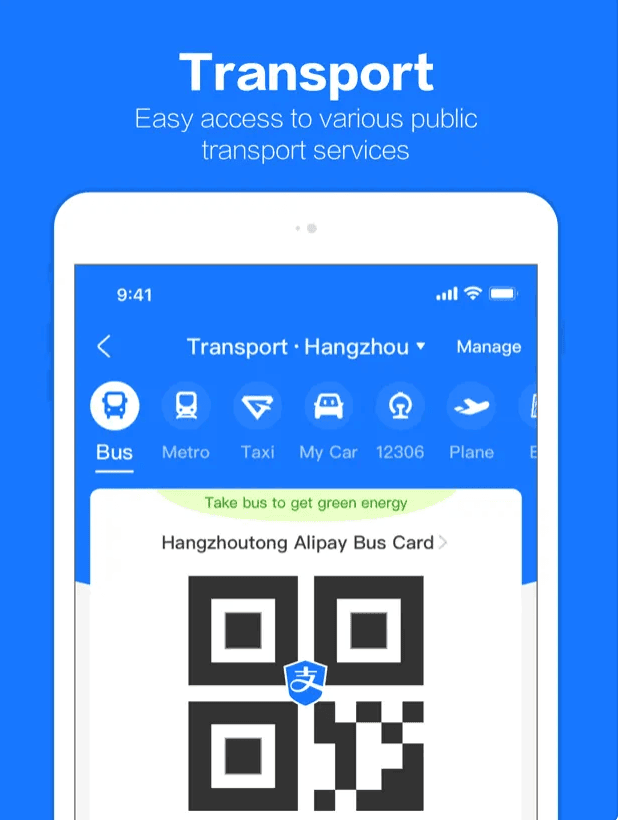
Alipay is a leading open platform for payments and digital services in China, established by Alibaba Group in 2004. It serves as one of the world's largest mobile payment platforms and digital lifestyle super-apps.
Along with WeChat, Alipay is widely regarded as one of China's essential super-apps, offering a broad range of functionalities including travel booking, food delivery, taxi hailing, and more.
How to download Alipay
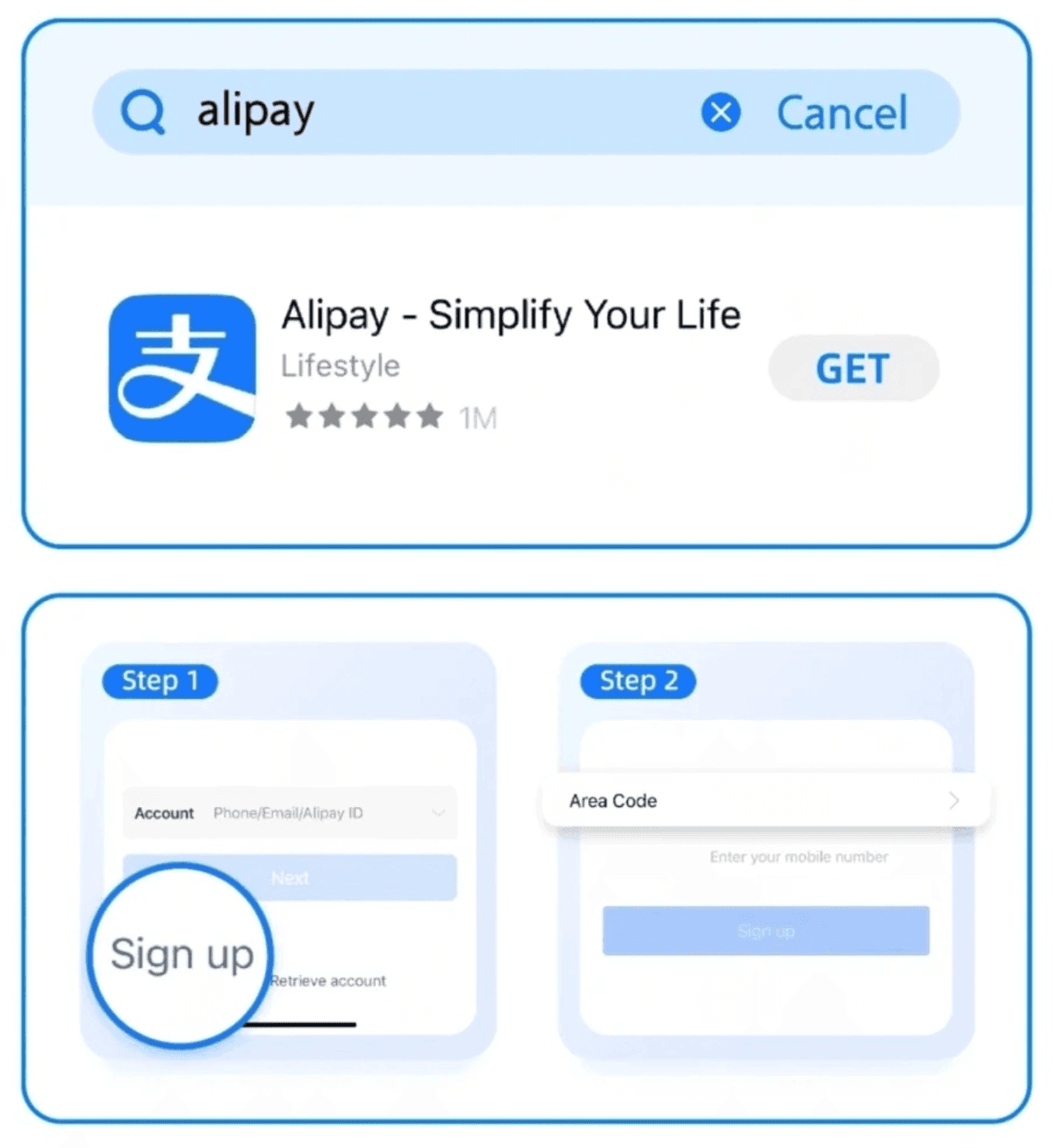
You can download Alipay from the App Store or Google Play Store.

Alipay
Alipay is a leading open platform for payments and digital services in China.
Download the Alipay app and tap "sign up" to register with your phone number.
How to add a bank card
Tap "Add now" and follow the on-screen prompts to complete the process.
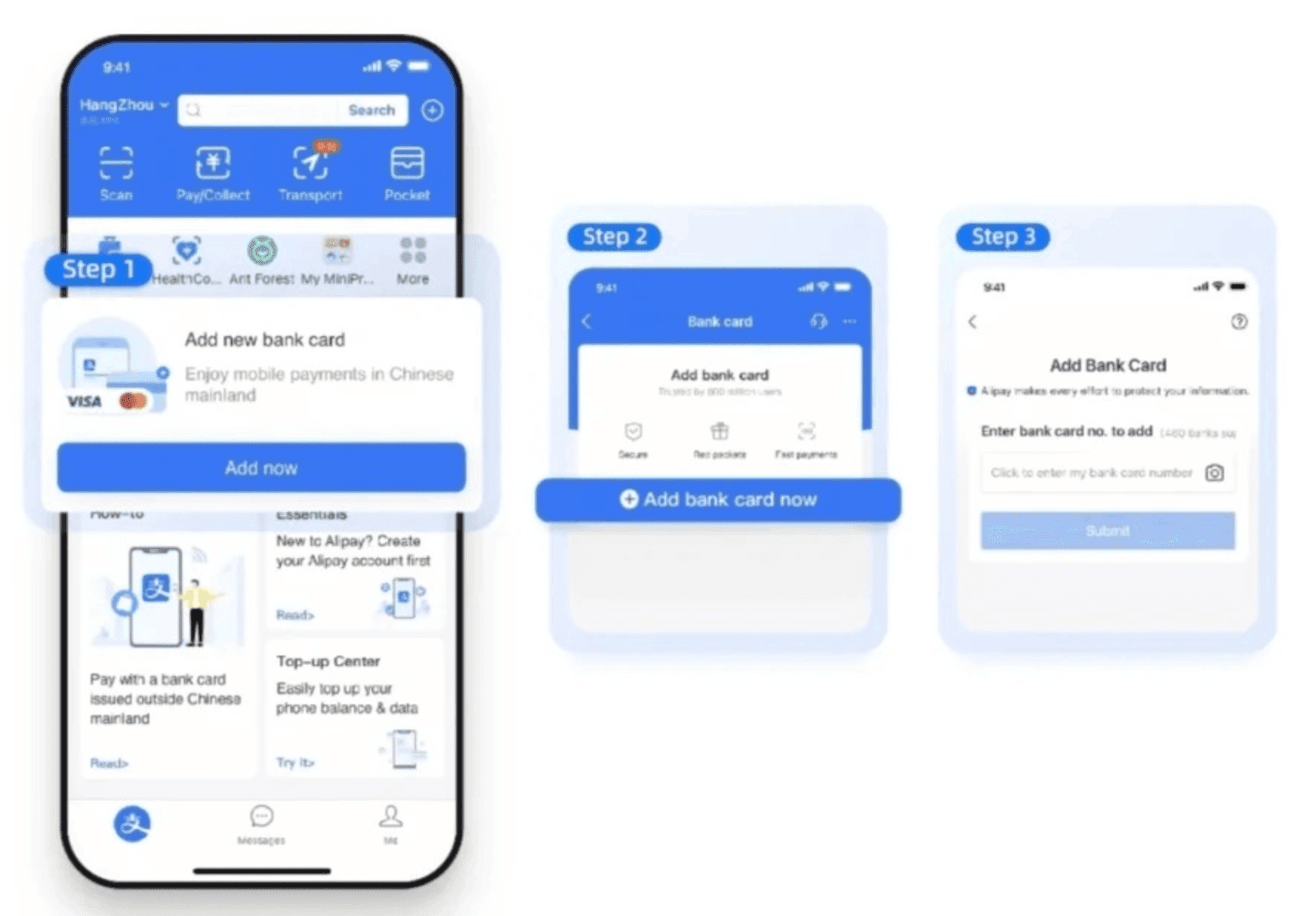
Alipay supports major international payment cards including:
- Visa
- Mastercard
- Diners Club
- Discover
- JCB
- UnionPay
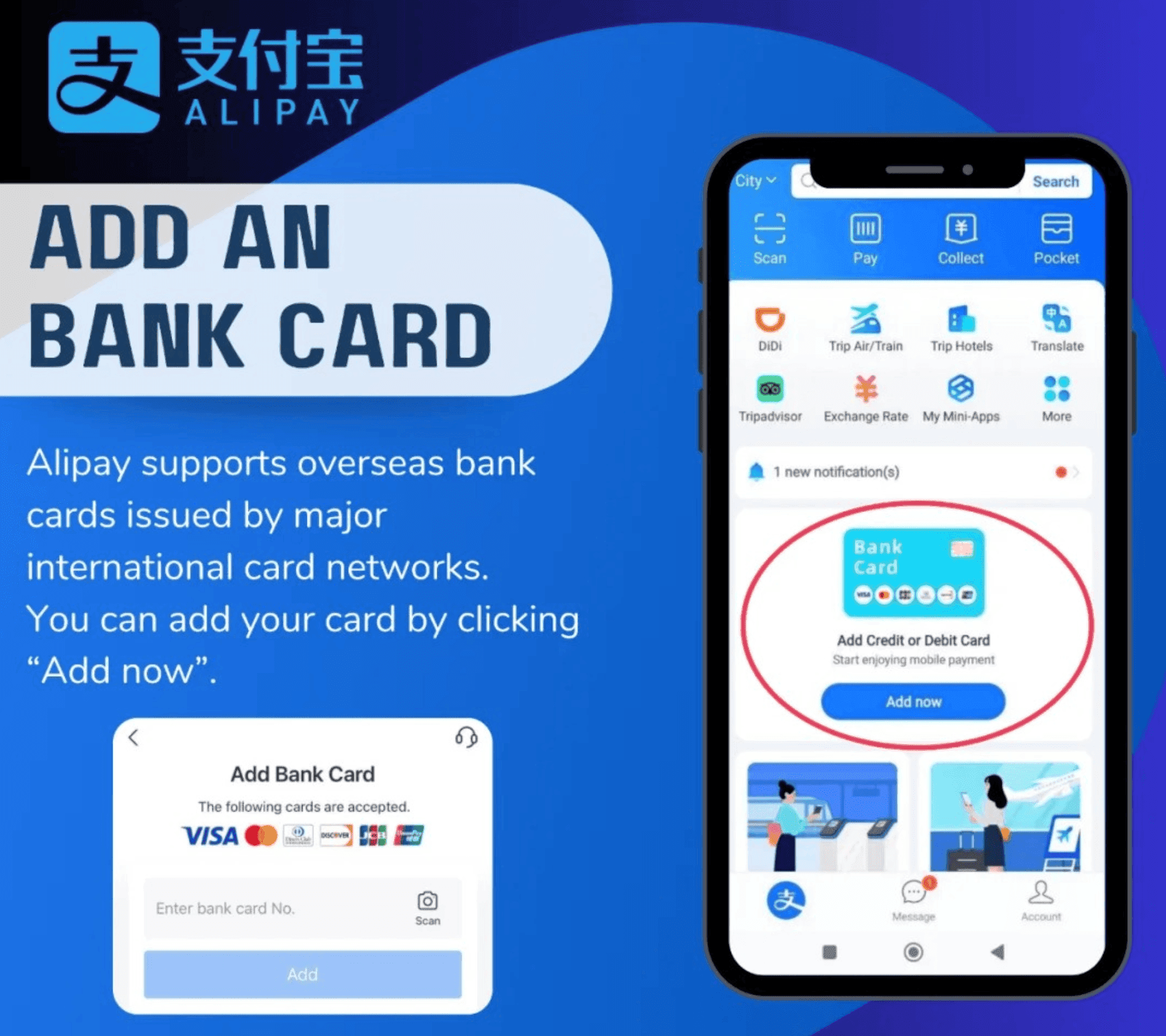
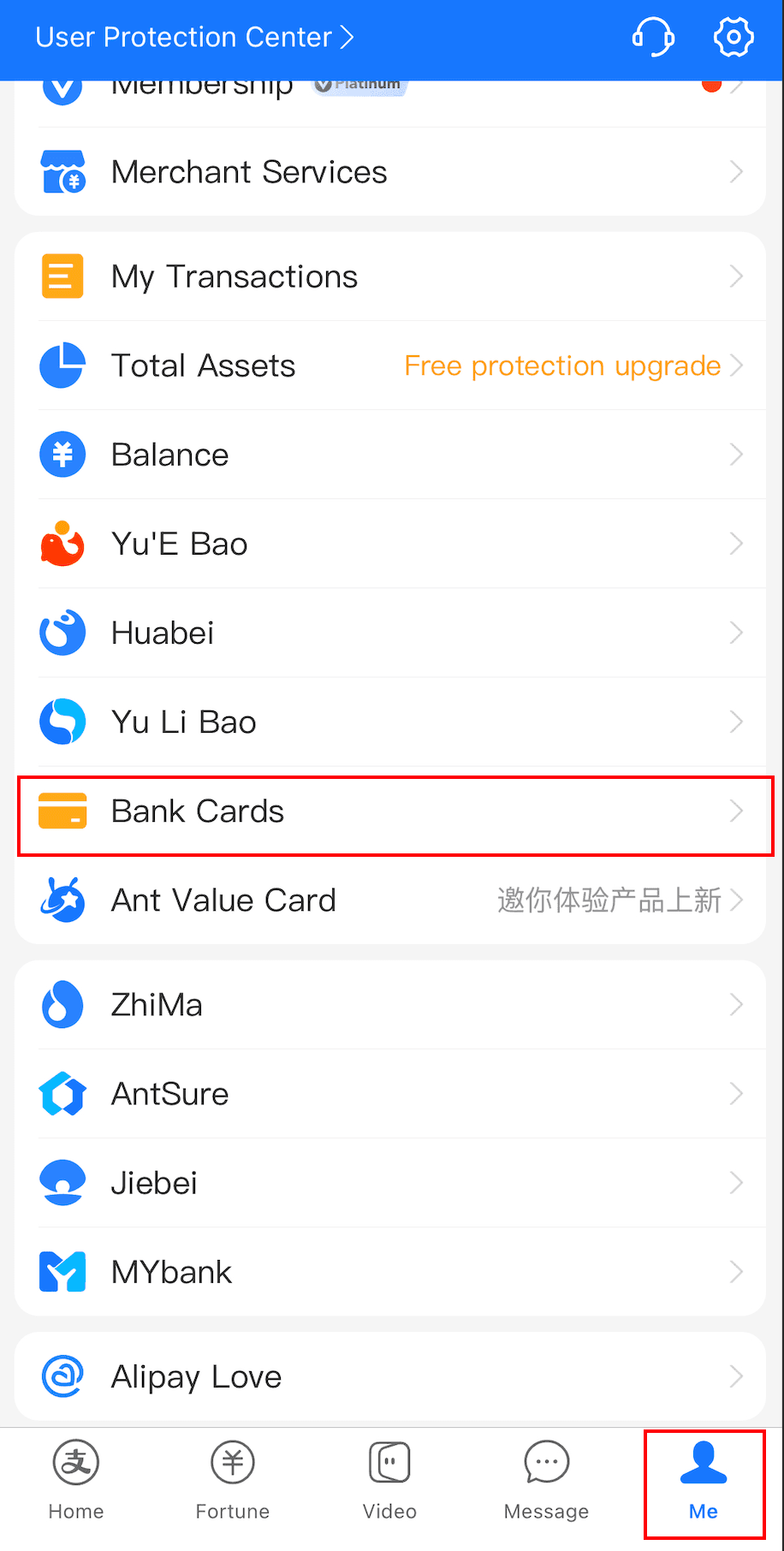
If the "Add Bank Card" option is not displayed on your Alipay homepage, go to the "Account" or "Me" tab in the bottom navigation bar, select "Bank Cards", and tap the "+" icon in the upper right corner to add a card.
Identity Verification
Some travelers report being unable to make payments without completing real-name identity verification.
We recommend completing identity verification before your trip to avoid payment interruptions.
Complete identity verification by uploading a photo of your passport's information page and verifying your face.
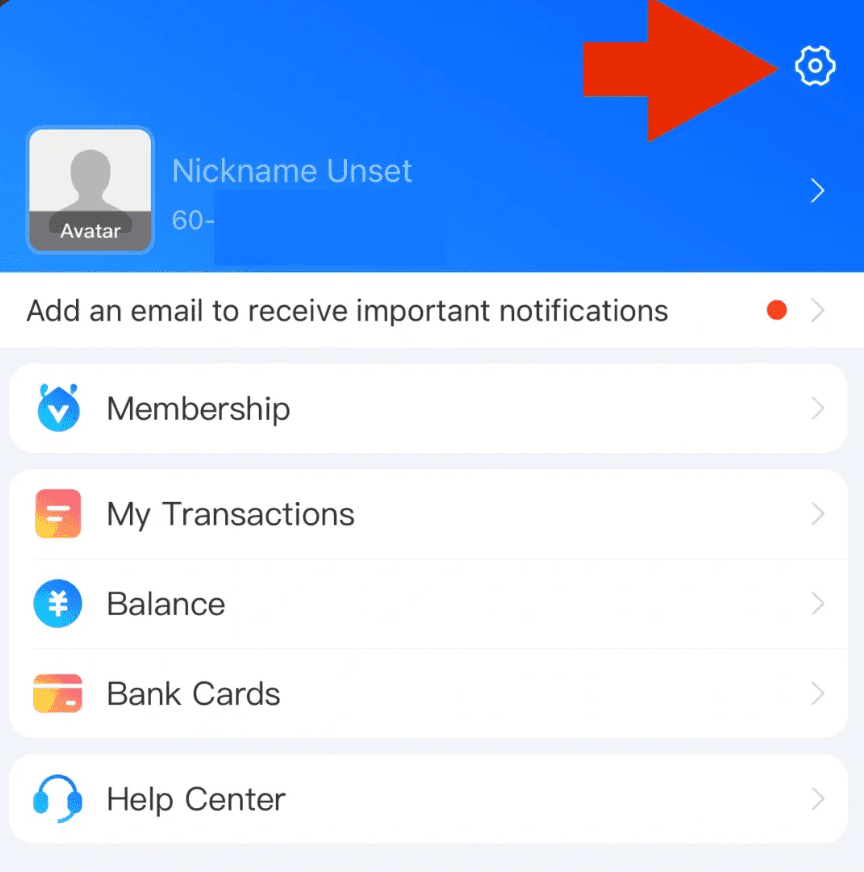
First, go to the "Me" or "Account" section in the bottom navigation bar and tap the ⚙️ icon in the upper right corner to open Settings.
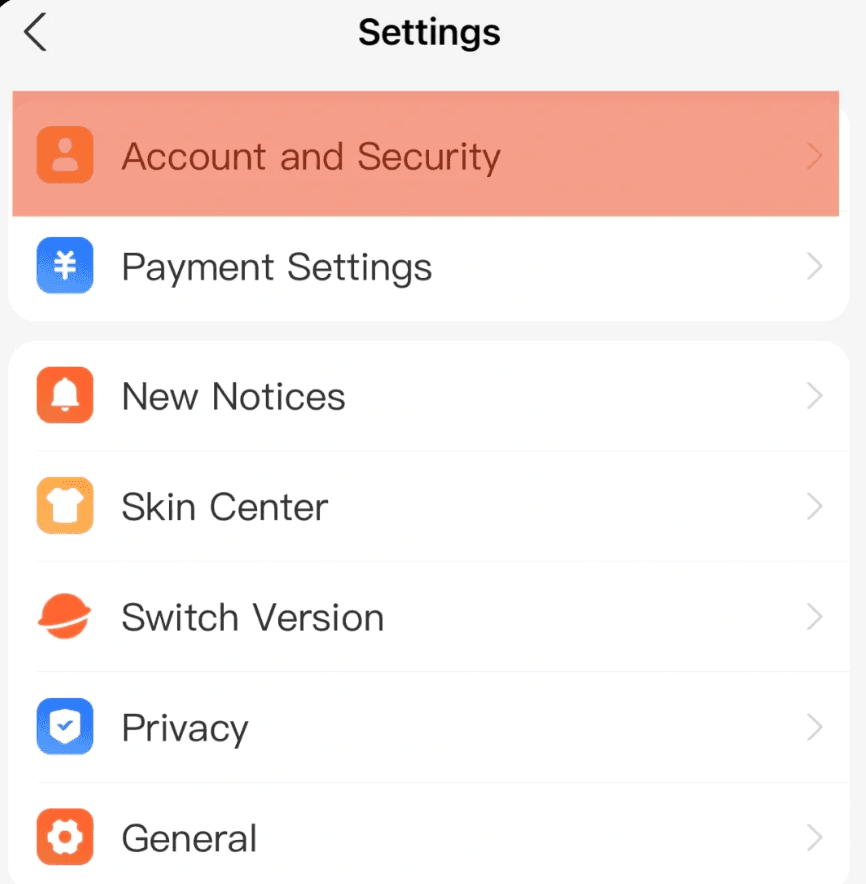
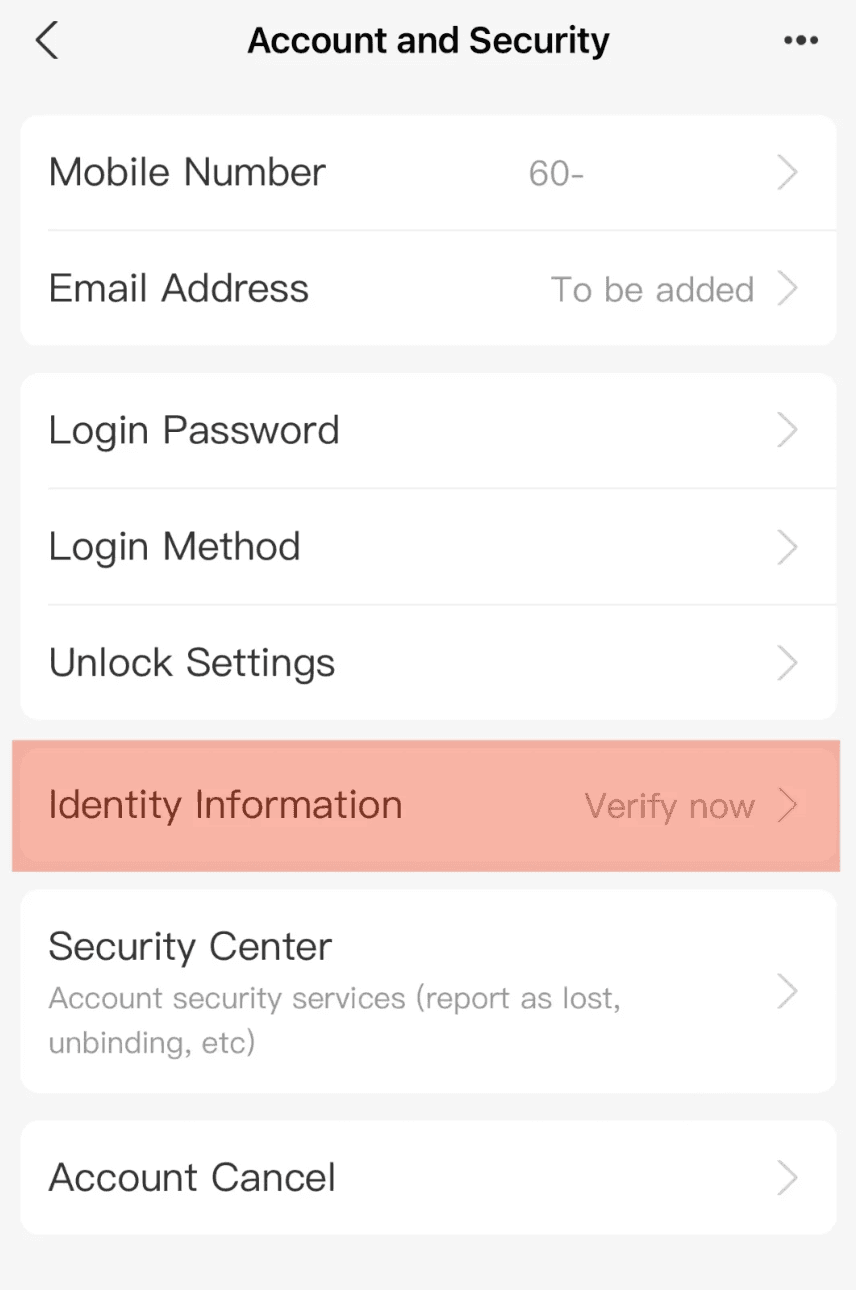
Second, select "Account and Security".
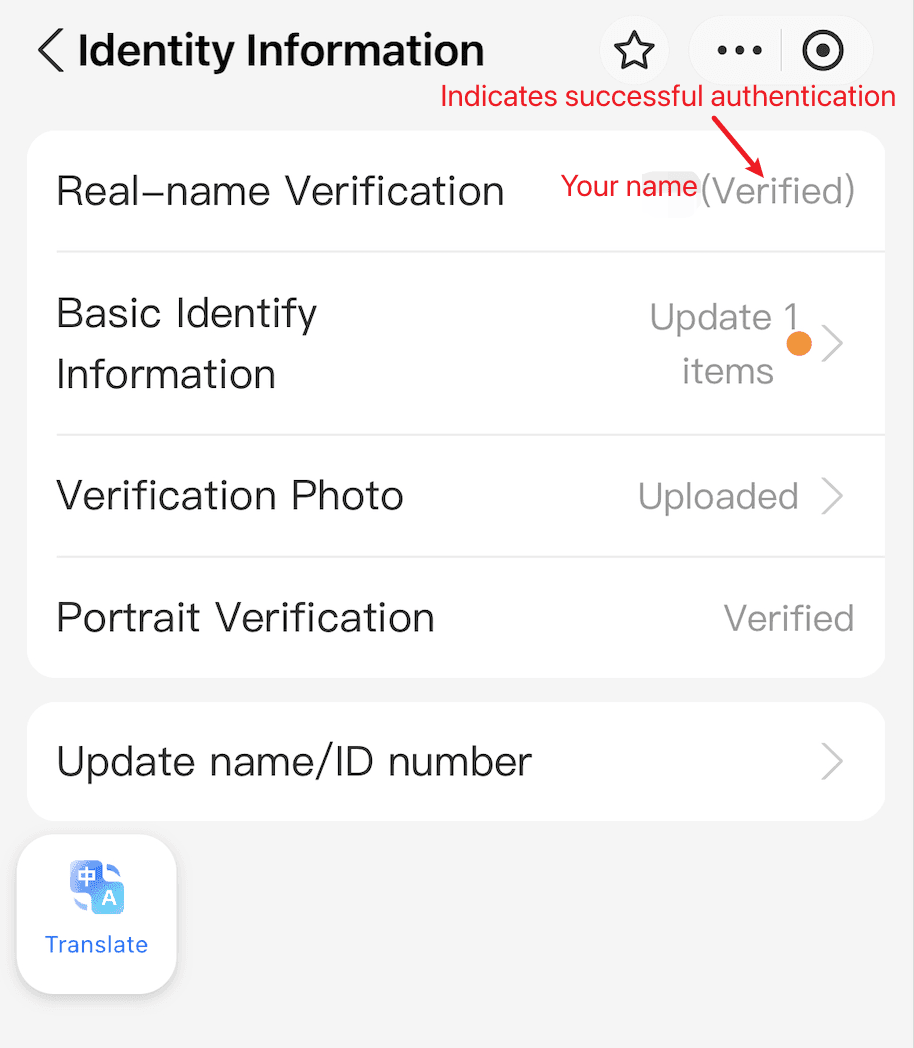
Third, select "Identity Information" to verify your identity.
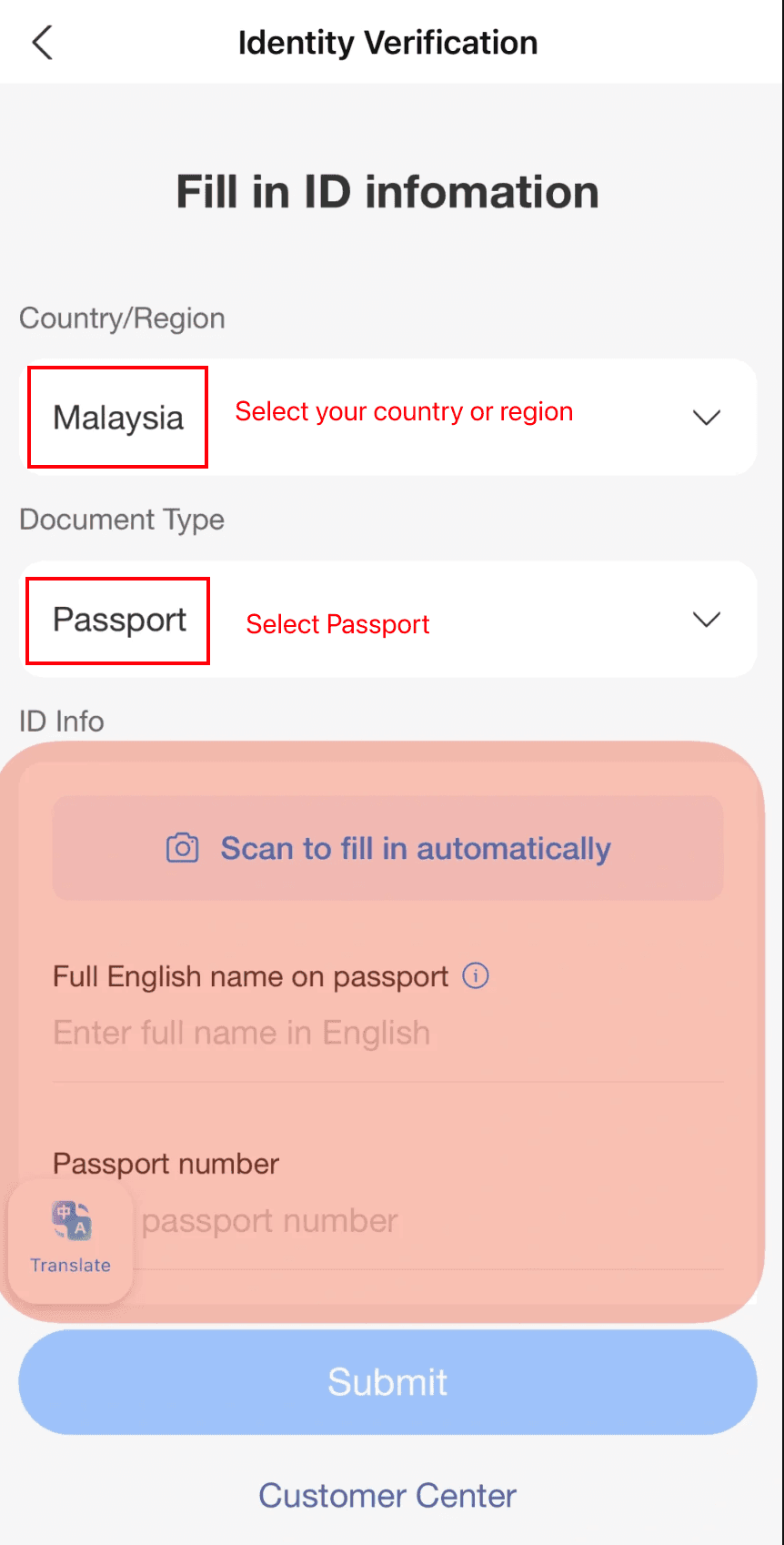
Fourth, select your country or region, then fill in your ID details manually or scan your passport to autofill the information.
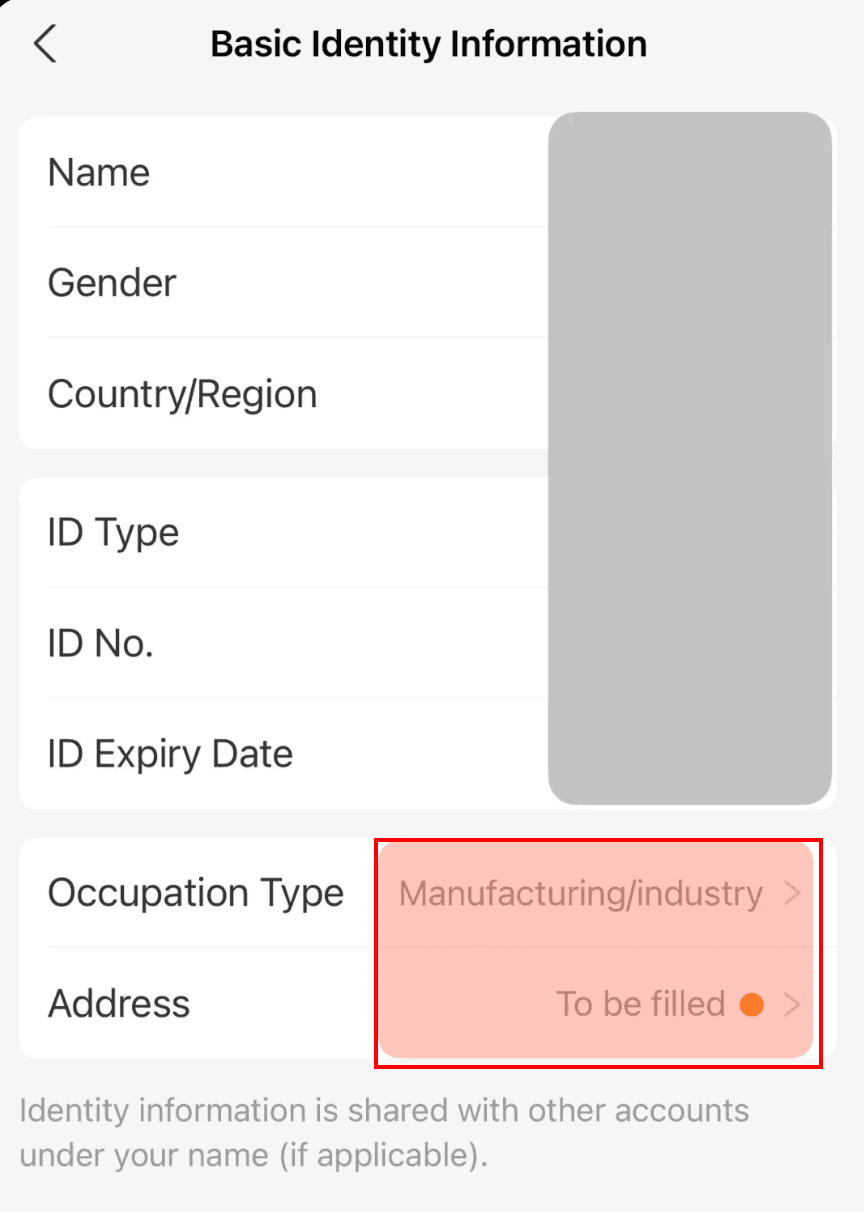
Next, you can optionally fill in any basic identity information requested.
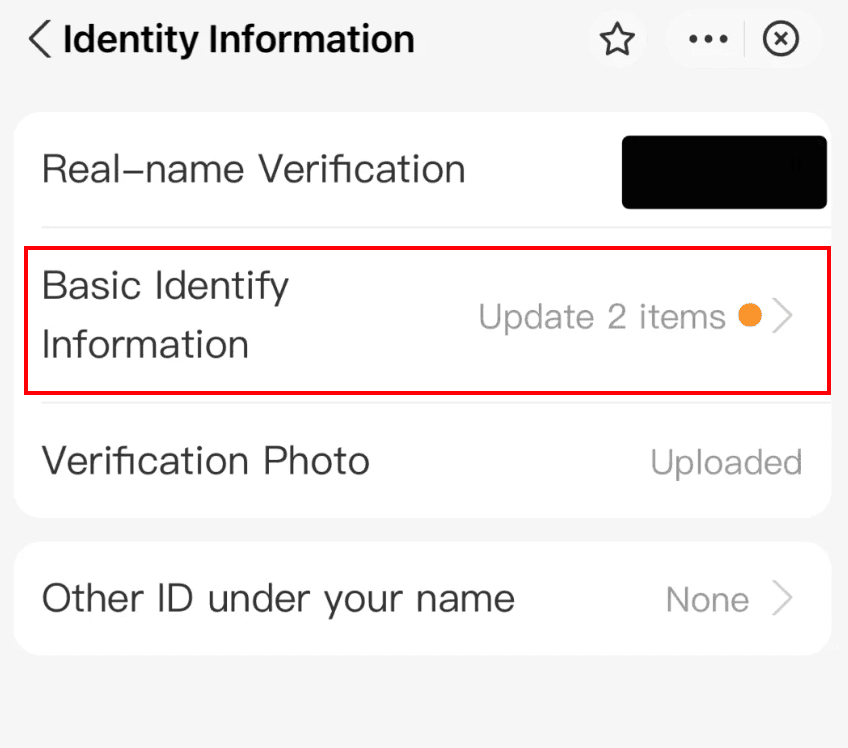
Finally, once "Verified" appears next to your name, the identity verification process is complete.
Fees
For payments funded by a linked international card, Alipay generally waives its service fee for a single transaction of ¥200 or less and charges 3% when a single transaction exceeds ¥200. Promotions, limits, and supported card products can change, so check the fee shown before confirming. Your card issuer may separately charge foreign-exchange or international transaction fees.
How to use Alipay for payment
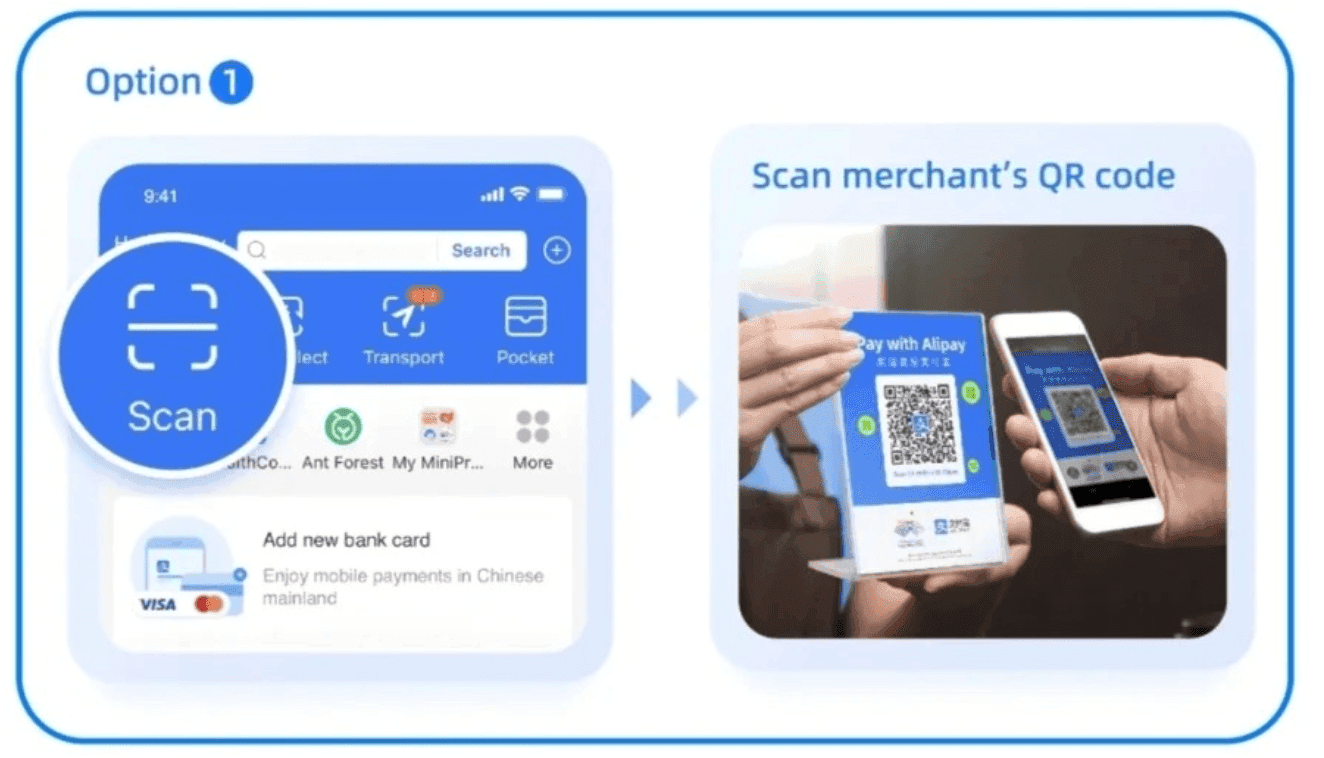
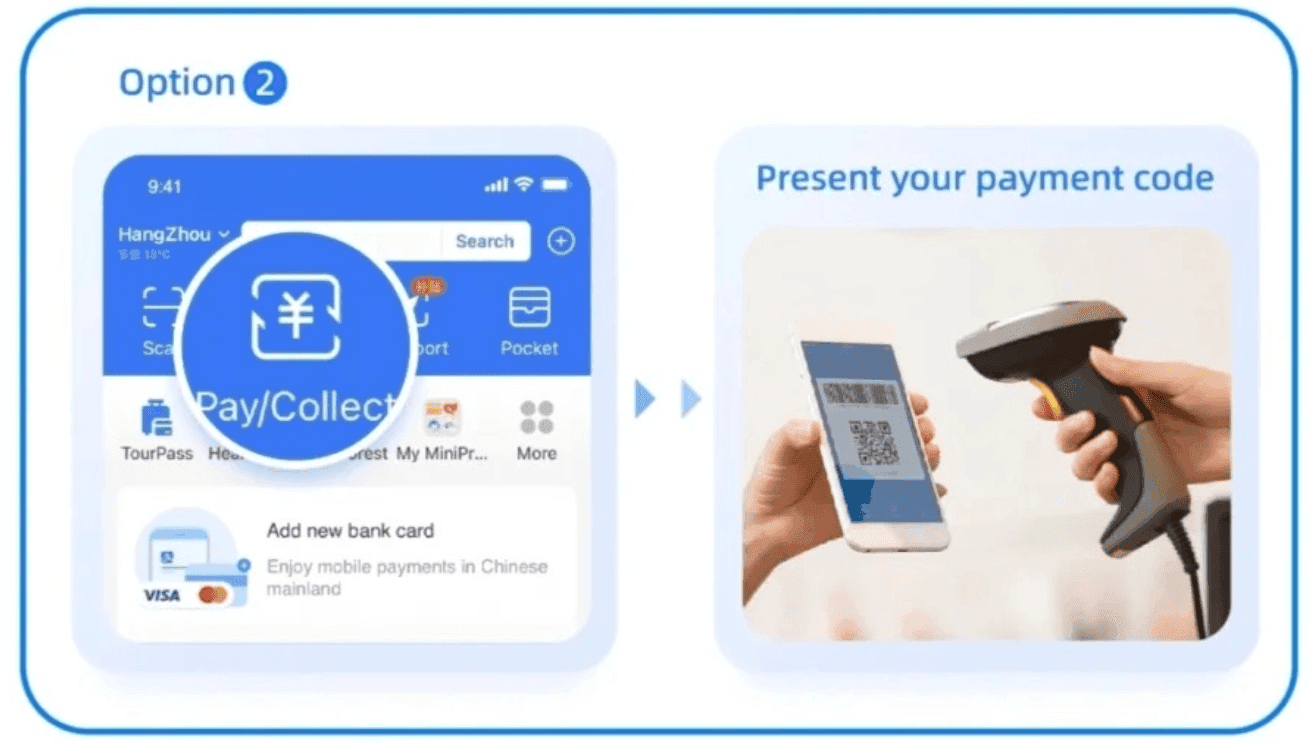
You can pay either by scanning a merchant's QR code or by presenting your payment QR code to be scanned.
How to scan a QR code to pay
When paying a merchant displaying a QR code, open Alipay, tap "Scan", and scan the merchant's QR code. Confirm the payment amount, tap "Confirm", and enter your payment passcode to complete the transaction.
How to present your QR code to the merchant and pay
Some stores scan the customer's QR code instead. In this case, show your payment QR code generated by Alipay to the merchant, and they will scan it to complete the transaction.
If you have a weak mobile connection that prevents you from scanning a QR code, presenting your own QR code often works offline; the merchant scans it, and your payment confirmation will arrive once network connectivity is restored.
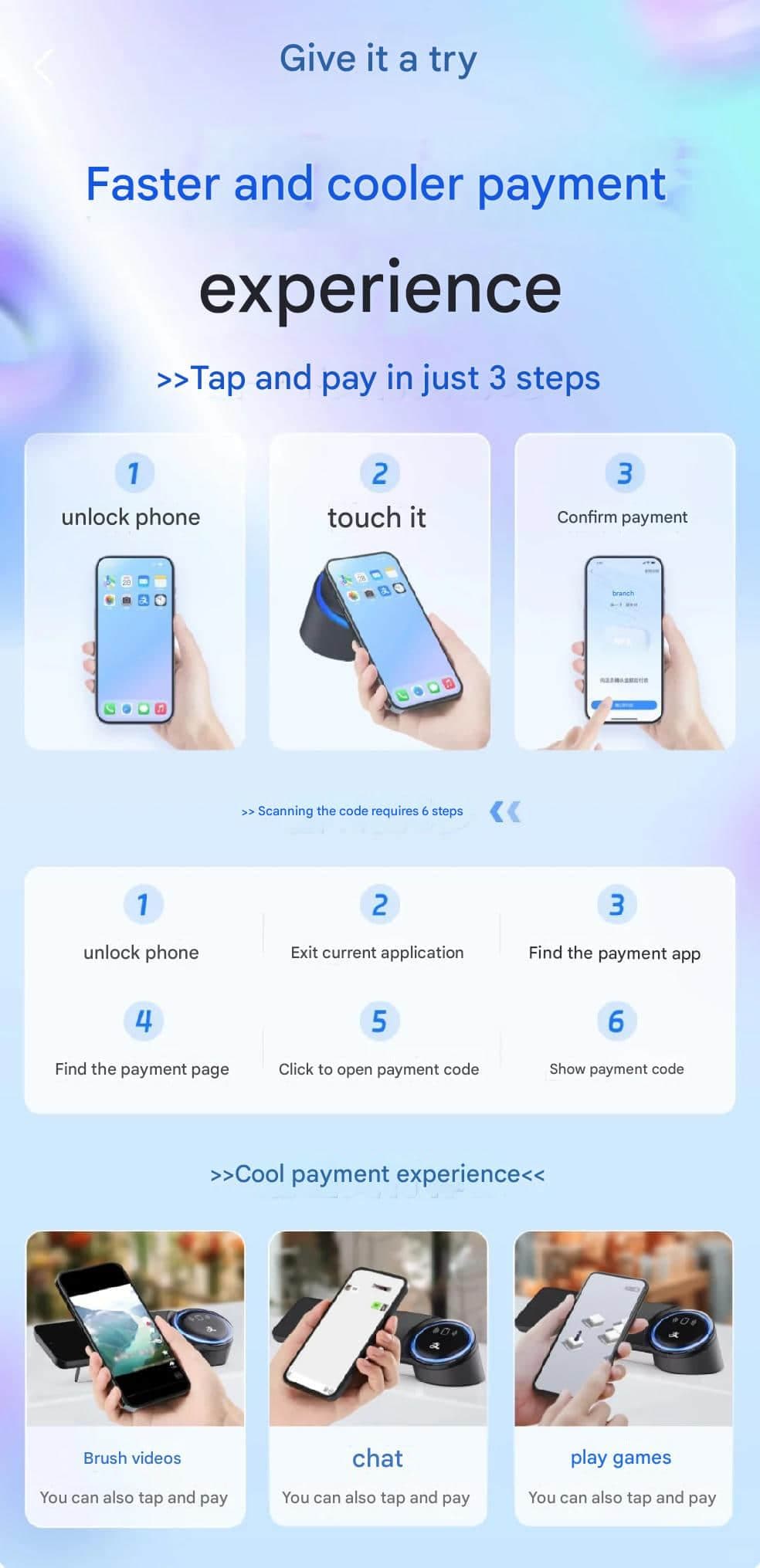
How to pay using NFC (Tap to Pay)
Alipay also supports contactless payments using your phone's NFC antenna.
To use this method, ensure that your phone supports NFC and that the merchant's terminal supports contactless NFC payments.
First, unlock your phone and tap its NFC area against the merchant's NFC terminal to initiate ordering or payment.
Merchant NFC sensors come in various formats: some are compact desktop stands like the blue card below,
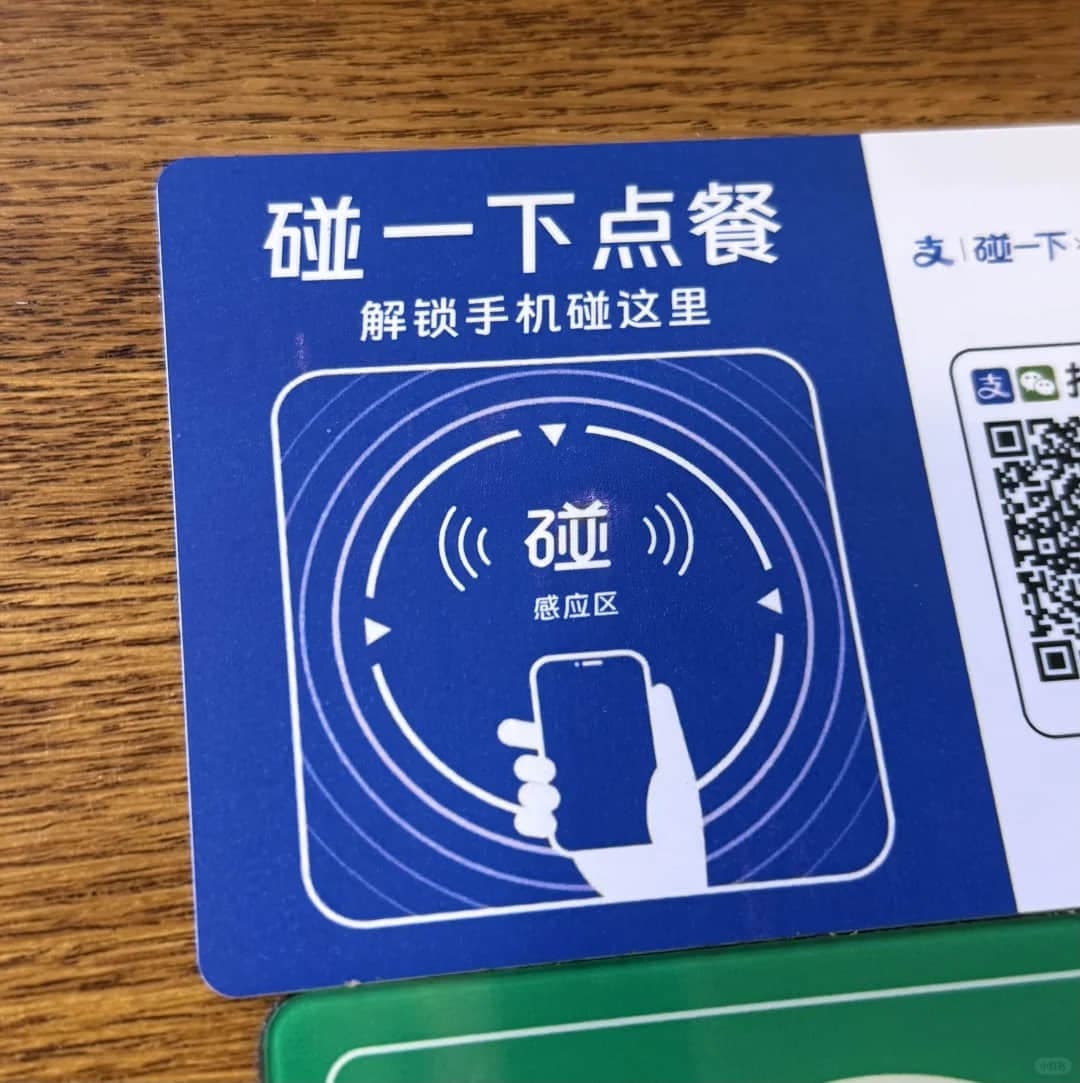
while others are standalone POS terminals.

On iPhones, the NFC antenna is located near the top rear camera. On Android devices, the antenna position varies by brand and model, with most located in the upper-middle section of the back.